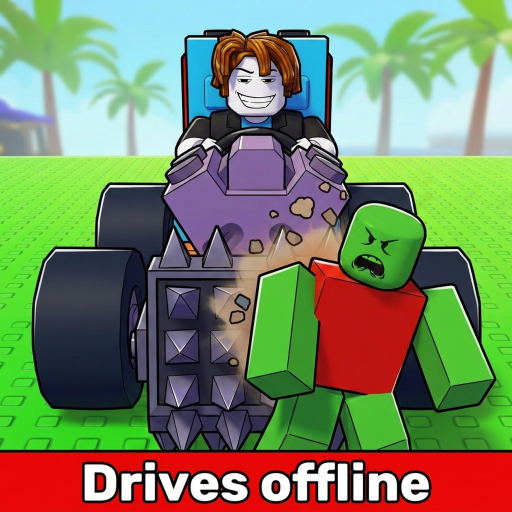
Build and Kill Zombies: Weapons and Defenses Placement
Mount equipment through Build, inspect usable support slots and verify the finished car before starting a driving run.
To add weapons and defenses in Build and Kill Zombies, open Build, choose the equipment and use its highlighted mounting points. The tutorial places the Shredder through the Weapons tab. Before buying extra equipment, check whether your car has a usable place to install it.
Prepare the working vehicle
Install the engine through Vehicle first so the car can launch. Then inspect the owned equipment you intend to mount. Keep the initial Shredder available as a known tutorial arrangement while learning how additional parts fit. A weapon purchase and a weapon installation are separate actions.
Select, place and inspect
- Press B to open Build at the garage.
- Choose the relevant tab; the tutorial weapon uses Weapons.
- Select the owned component and inspect highlighted mounting points.
- Place it on a suitable point and look at the actual installed car.
- Leave the menu before starting with F or DRIVE.
Do not stop the check at the inventory screen. If the component is not visible where you expected it, repeat placement before treating the car as equipped. Add one component at a time so you can identify which point was used and which piece remains missing.
Resolve a missing slot before replacing equipment
| Situation | Check | Action |
|---|---|---|
| Owned item will not place | Highlighted compatible points | Choose an indicated point before shopping again |
| No spare weapon mount | Support capacity and More Support nodes | Consider slot expansion for useful owned equipment |
| Item placed but car will not launch | Installed engine | Repair the Vehicle dependency separately |
| Car launches but contact disappoints | Actual placement and driving line | Revise one placement and compare zombie contact |
More Support Skills add weapon mounting slots. Read the live node, its requirements and cost in Skills before spending Cash. Additional slots are useful when equipment is ready to use; they do not replace a missing engine or extend an empty fuel supply.
Give placement a job
Front-facing support weapons meet zombies before the rest of the build. Use that as an initial placement idea, then observe the driving approach that brings zombies to the vehicle. Structure and support pieces belong to the layout, but this does not establish a fixed armor percentage or immunity for any arrangement.
Choose a placement goal you can recognize: the mounted weapon should be able to meet the zombie groups you drive through. If that rarely happens, revise one point or one component rather than buying several unfamiliar items. Preserve the original working arrangement until the replacement has been checked.
Verify with a short comparison
Launch the car, watch its weapon contact and read the result when fuel empties. Compare kills, distance and the end condition with the previous arrangement. Hold engine and fuel constant when the intended change is equipment placement; otherwise a longer run can obscure the effect.
If installation solves the missing-slot problem but the run still disappoints, investigate driving approach and fuel separately. If the component cannot be mounted, return to Build and the highlighted points before another purchase. Use weapons and mounting for a broader equipment reference or defense upgrades when the next step concerns support capacity. A useful equipped car is one whose components are actually installed and whose next revision has a clear purpose.